Analyze face shape from a selfie
Most people already take selfies-but a styling selfie needs even light, a level head, and a crop that shows your true hairline and jaw. Here is how to analyze face shape from a photo and when an app saves time.
What Is Selfie-Based Face Shape Analysis?
Selfie-based face shape analysis uses a single front-facing photo to estimate forehead, cheek, jaw, and length ratios. AI face shape detection maps landmarks on your cropped image and assigns a category with confidence.
Why Does Photo Quality Change Your Face Shape Result?
Shadows shrink cheeks; downward angles lengthen the chin; wide-angle lenses bulge the center of the face. Better photos mean more stable labels.
How Do You Take a Selfie for Face Shape Analysis?
- Face a window or soft light-avoid harsh overhead shadows.
- Hold the phone at eye level, arm's length away.
- Pull hair off forehead and jaw; relax your expression.
- Crop so your face fills the frame with a little space above the hairline.
What Camera Settings Help on iPhone and Android?
Use the rear camera with a timer if front-camera distortion bothers you, or use the in-app camera designed for face scans. Disable beauty filters that reshape the jaw.
How Does an App Analyze Your Selfie?
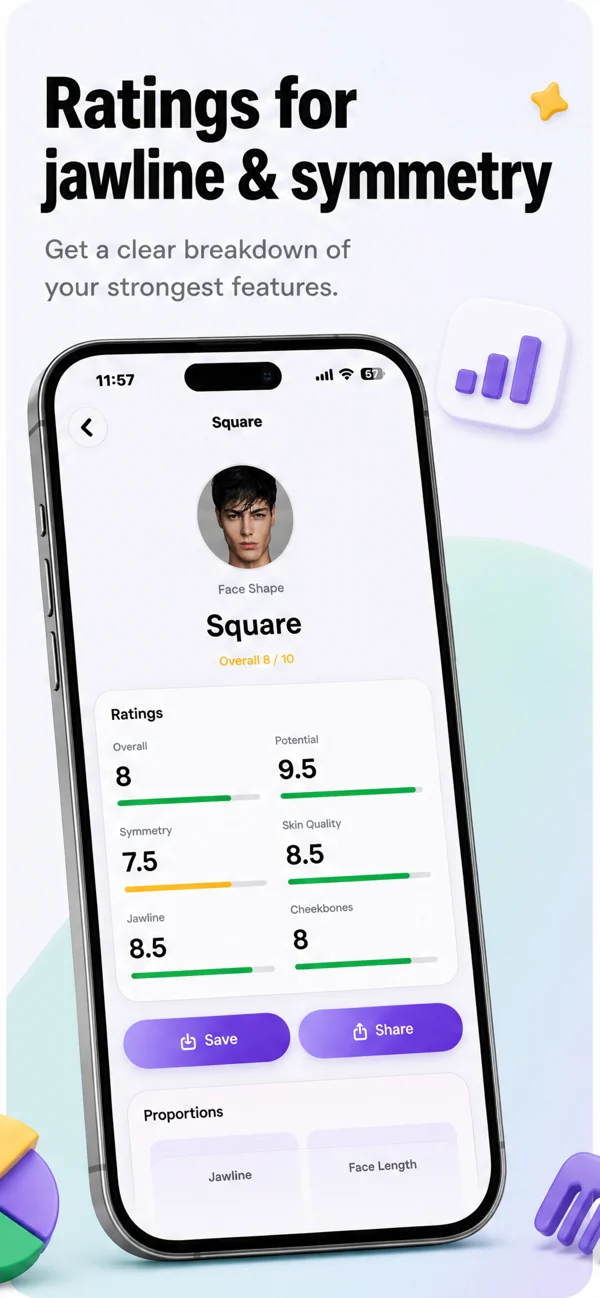
In MyFaceShape you choose camera or gallery, crop, then AI returns shape, measurements, and scores. Read accuracy and privacy for how photos are handled.
What Should You Do With Your Selfie Result?
Match guides for hairstyles and glasses, or read how to find your face shape if you want a manual cross-check.
Conclusion
Treat your selfie like a passport photo for proportions: straight, lit, and honest. The analysis is only as good as the image you feed it.
Should You Use the Front or Rear Camera?
Front cameras are convenient but can widen the nose and cheeks. If results feel inconsistent, switch to the rear camera with a timer, or use the in-app capture flow designed for analysis.
Frequently Asked Questions
Do filters break face shape detection?
Yes-beauty filters that slim the jaw or enlarge eyes change proportions. Turn filters off before capture.
Can I use an old photo?
Yes, if it is front-facing, well lit, and shows your current hairline and jaw without heavy editing.
Does background color matter?
Neutral backgrounds help cropping; the model focuses on your face after crop, but busy backgrounds can confuse auto-crop tools.
How MyFaceShape helps
MyFaceShape is a face shape detector app: take or upload a selfie, crop your face, and get one of seven shapes with confidence, measurements, feature scores, and matched glasses and hairstyle guides.